CouponArrow Browser Extension
Verified codes applied. Code-free deals opened.
The extension spots the coupon box on partner-store carts and checkouts, asks you first, then tries CouponArrow’s verified codes until one sticks — or, for stores that run a code-free deal instead, offers a one-tap link to redeem it. Honest results, zero tracking, nothing to set up — and it works on Android phones and tablets too, through Firefox for Android.


- 100% free
- No tracking
- No account
- Asks before applying
- Chrome, Edge & Firefox
- Firefox for Android
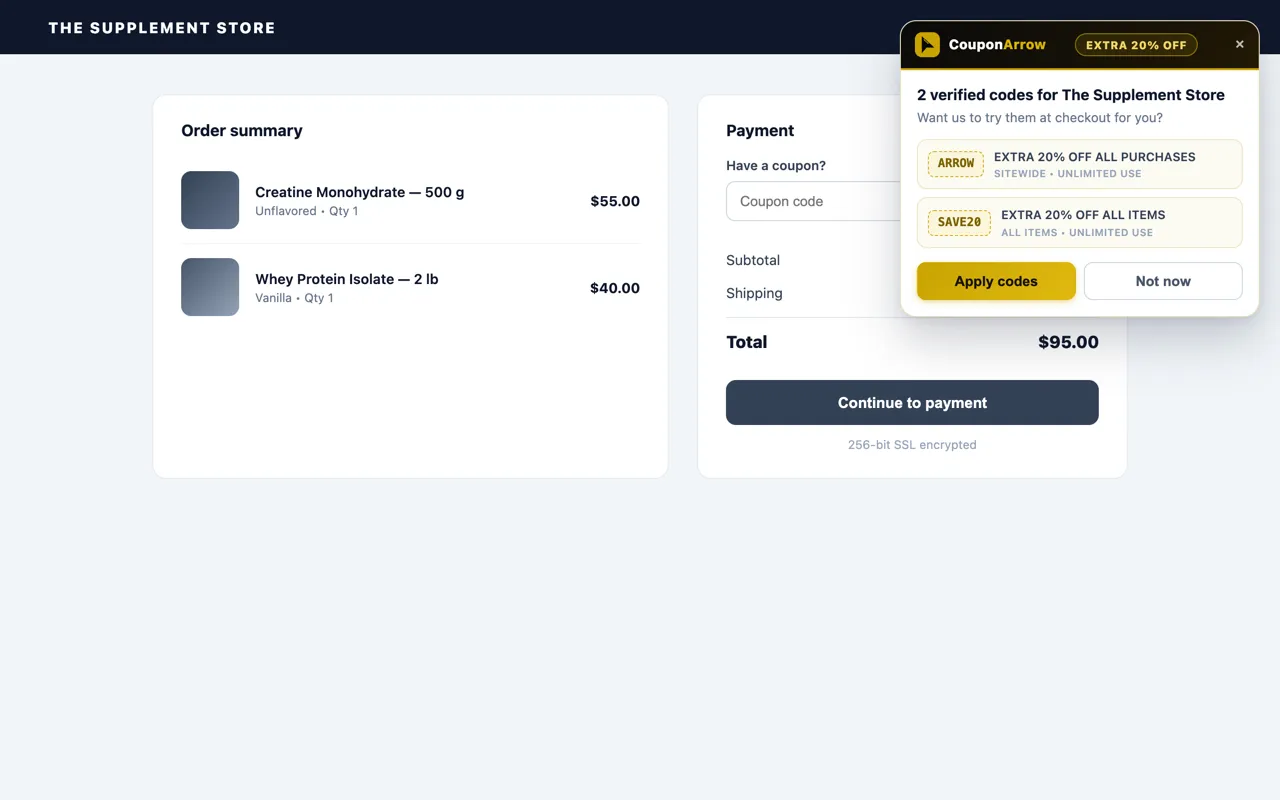
2 verified codes for The Supplement Store
The real prompt — exactly as it appears at checkout.
How the extension works
It handles coupon boxes at checkout and code-free deals on partner stores. You stay in control either way.
It spots the coupon box
On partner-store carts, mini-cart drawers, and checkouts — even when the box hides behind a “Have a promo code?” link — the extension quietly recognizes where a code can go.
It asks you first
A small card shows the verified codes available for that store — with each deal’s details. Nothing touches the page until you choose Apply codes. Dismiss the card and it stays quiet for the rest of that checkout. It offers again the next time you open a cart or checkout.
It applies & reports honestly
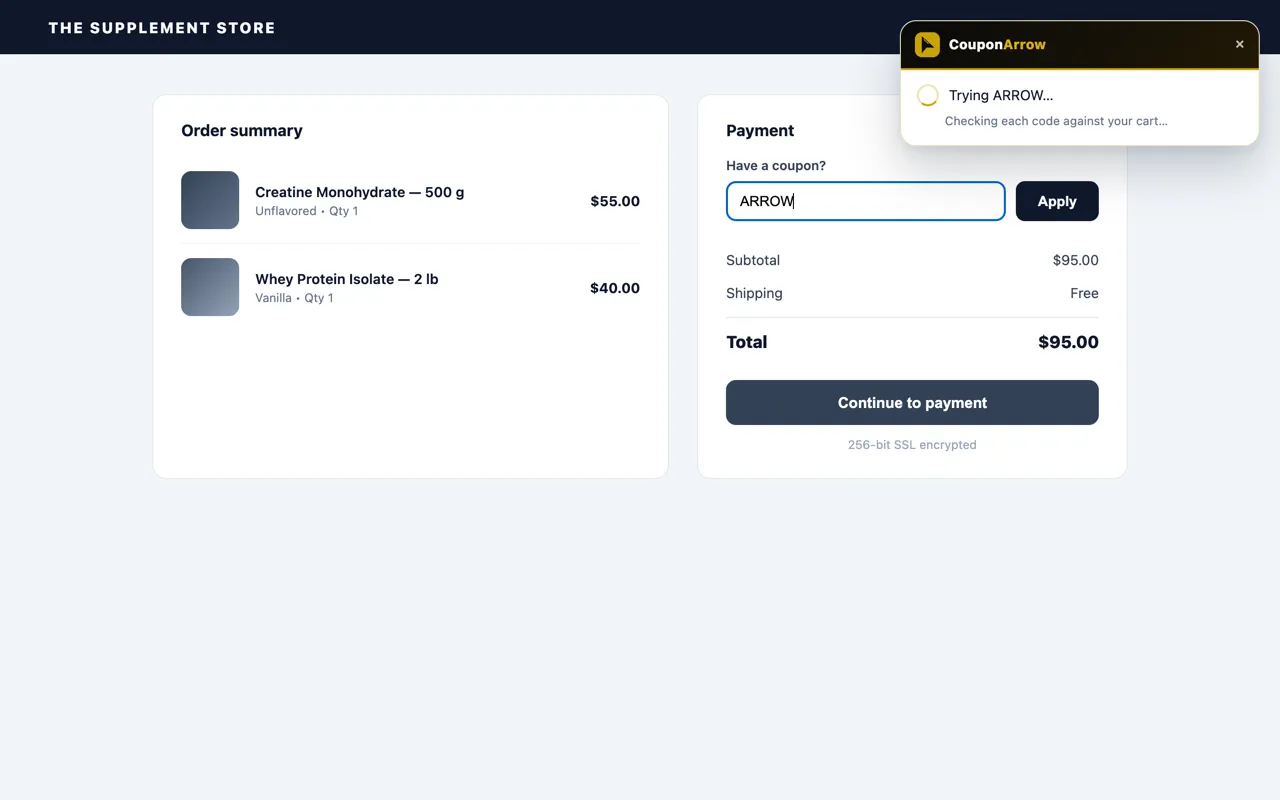
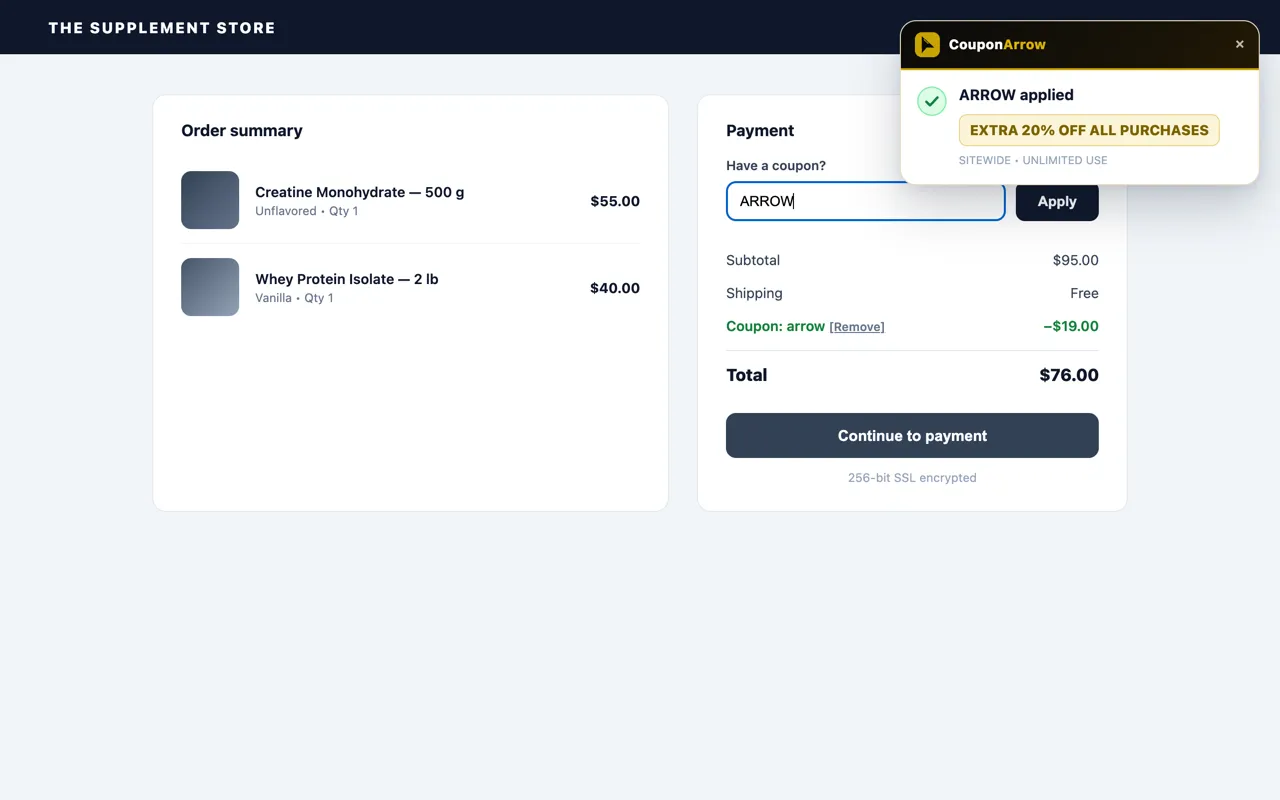
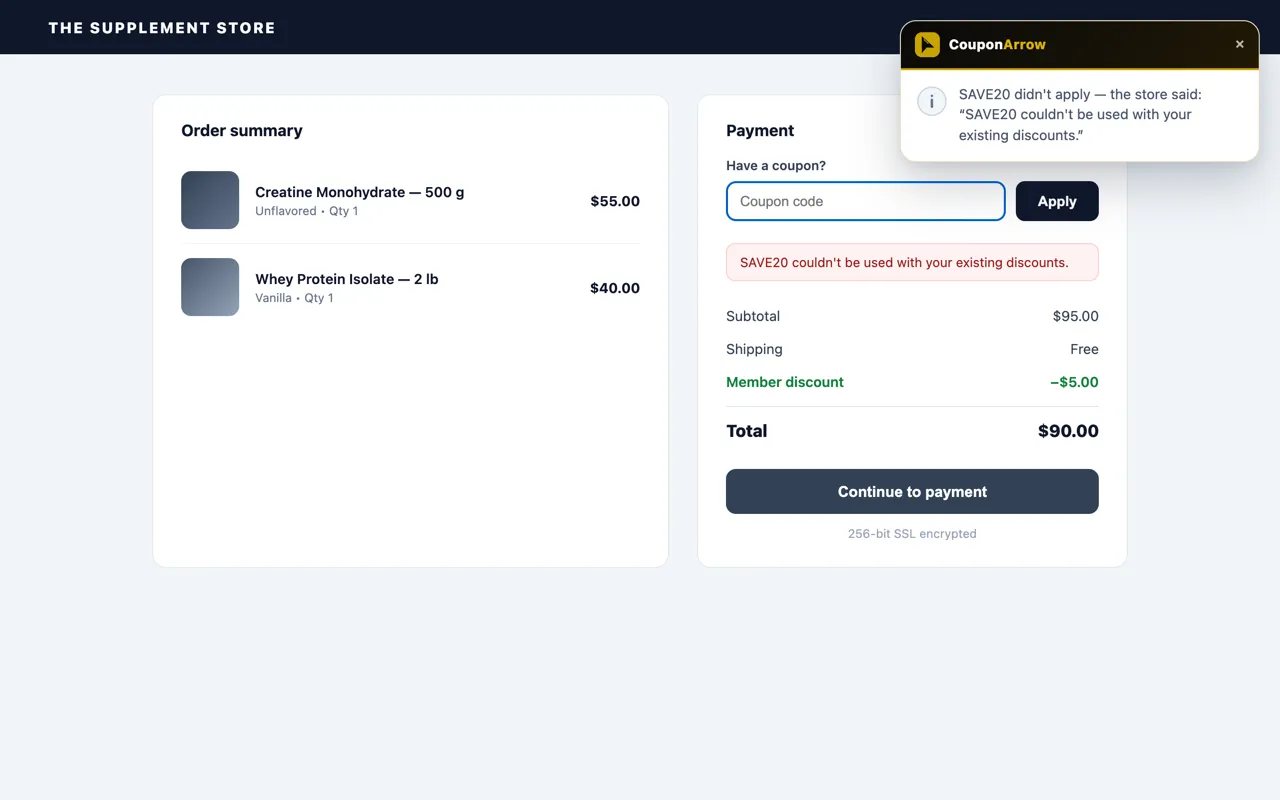
Codes are tried one by one until one sticks. You see exactly what happened — including the store’s own words when a code is rejected.
No coupon box at a store? You still get the deal.
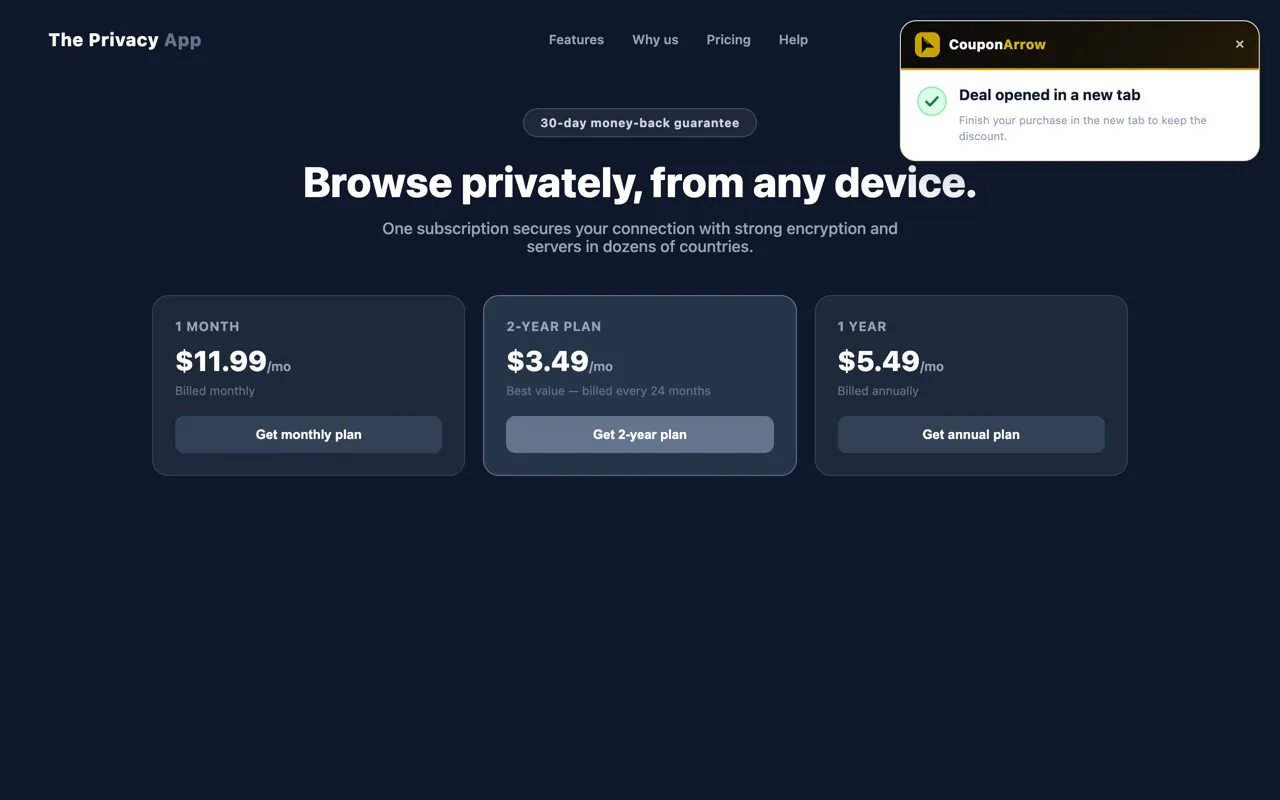
A handful of partner stores run a code-free offer instead of a coupon — the discount applies automatically through a verified link rather than a code you’d type in. For those, the extension shows one dismissible card early in your visit with a Redeem deal button that opens the link in a new tab. CouponArrow may earn a commission on these links, at no extra cost to you, the same as coupon codes.

Results you can trust
Most coupon extensions show a green checkmark and hope for the best. This one follows three hard rules — and every result card shows you exactly which one you’re seeing.
The three hard rules
- 1
Never fake a success. A discount is reported applied only when the store’s own page proves it.
- 2
Quote the store, verbatim. A rejected code shows the store’s own message — the card never contradicts the page.
- 3
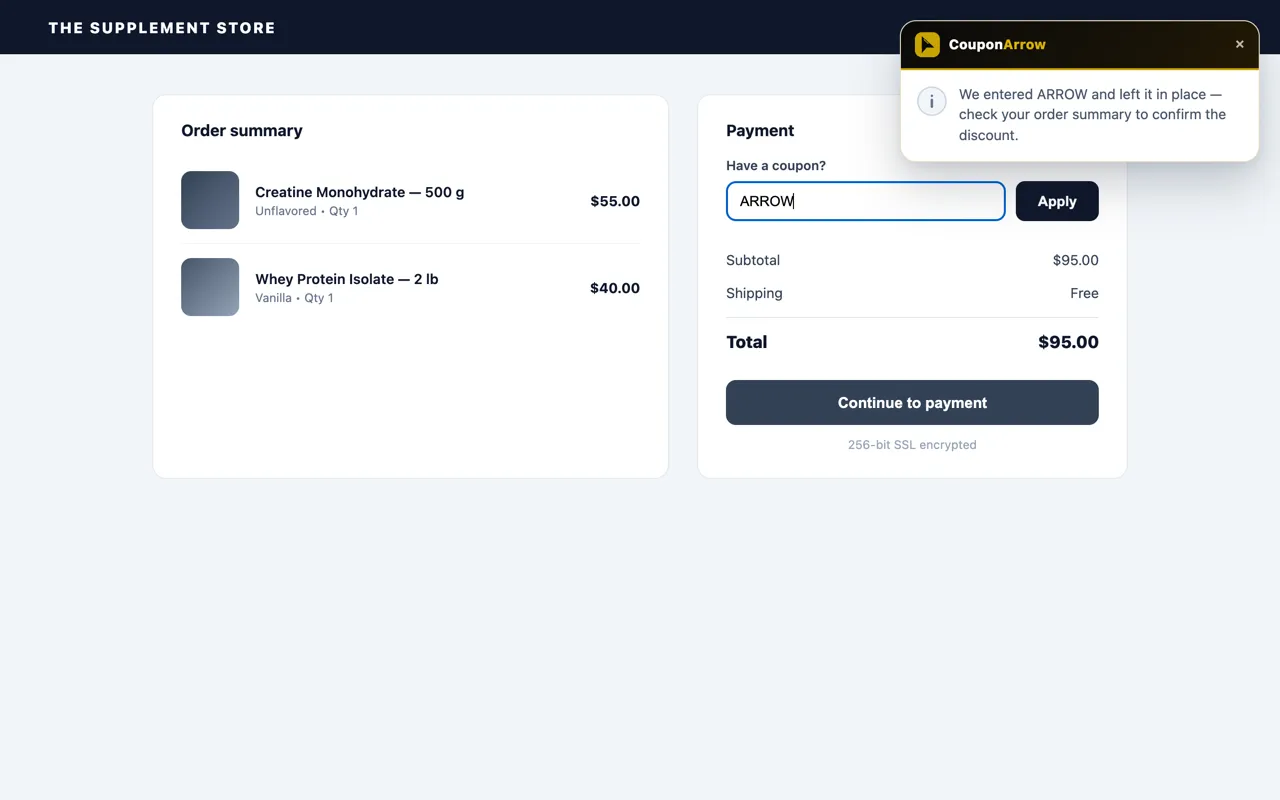
Unconfirmed? Touch nothing. If no readable result appears, the code is left in place and you’re told to check — a discount that may have applied is never removed.
Prefer to do it yourself?
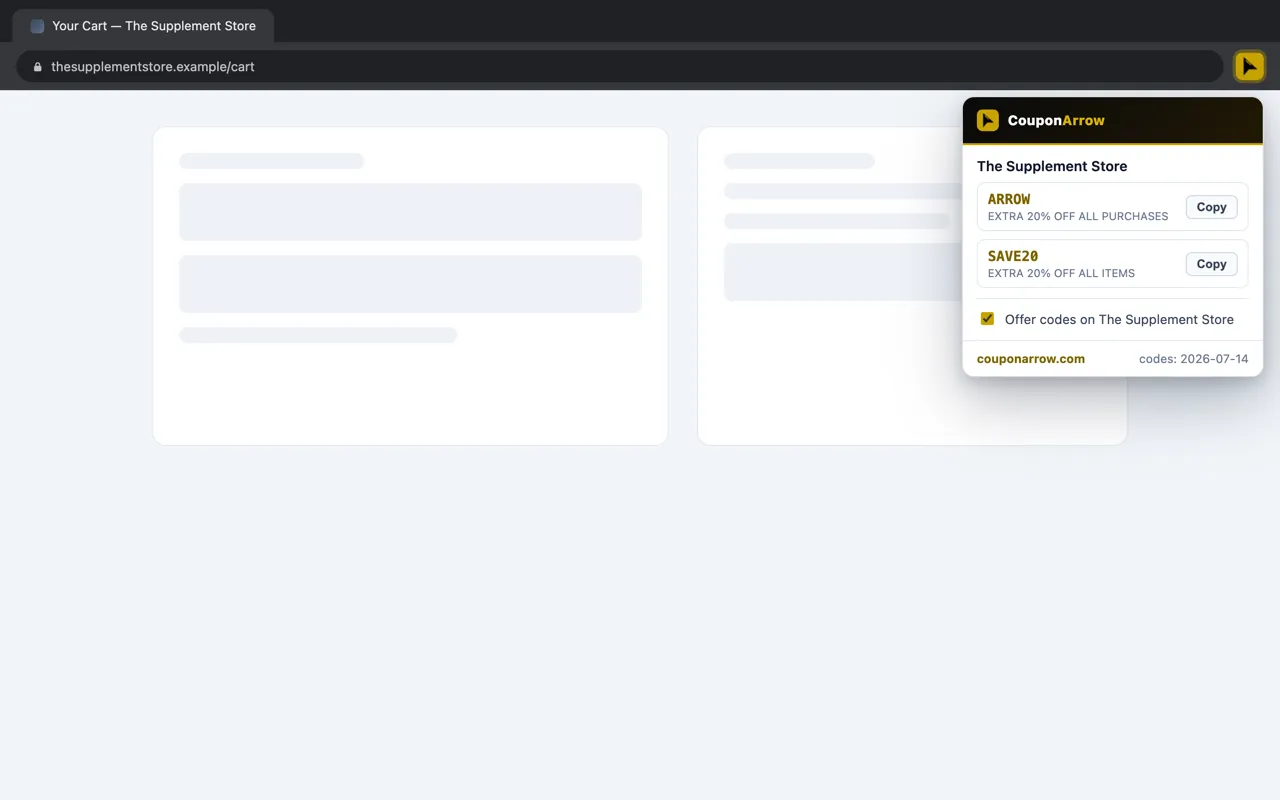
While you’re on a partner store, click the CouponArrow icon in your browser’s toolbar and a small panel shows what’s available for that store — verified codes to copy, or a code-free deal to redeem. (If the icon isn’t visible, pin it from the puzzle-piece extensions menu.)
- See all verified codes for the current store, with each deal's details
- Copy any code with one tap — or redeem a code-free deal directly, no copying needed
- Turn the automatic prompt on or off per store
- Codes and deals refresh automatically from couponarrow.com every 12 hours

Privacy isn’t a feature. It’s the design.
Built to know as little about you as technically possible.
Nothing is collected
No browsing history, no purchase data, no analytics, no identifiers — on any website. There is no account system and no server that stores anything about you.
Does nothing elsewhere
On any site that isn’t a partner store it simply stops: the address is checked against the coupon list, locally, and nothing on the page is read. That is also why adding a store never needs a new permission.
One network request
Its only connection is fetching the public coupon-and-offer list from couponarrow.com every 12 hours. That request carries no data about you — it’s the same file anyone can open.
Consent, every time
Nothing is filled, applied, or opened until you choose Apply codes or Redeem deal. Dismiss the prompt and it stays out of your way: a coupon prompt returns only at your next cart or checkout, in the same tab or a new one, and a deal card only on a fresh visit to the store.
The full details, in plain language: Extension Privacy Policy
Frequently asked questions
Is the extension free?
Yes — completely free. There is no premium tier, no account to create, and no catch. It applies the verified codes and opens the verified code-free deal links published on couponarrow.com.
Does it collect my data?
No — on any website. The extension collects no browsing history, no purchase data, and no personal data; nothing leaves your browser. Its only network request is refreshing the public coupon list from couponarrow.com every 12 hours.
Which browsers does it support?
It is available on Google Chrome through the Chrome Web Store, Microsoft Edge through Edge Add-ons, and Mozilla Firefox through Firefox Add-ons — including Firefox for Android, so you can apply codes on your phone or tablet too. Other Chromium-based browsers can install it from the Chrome Web Store as well.
Which stores does it work on?
Every CouponArrow partner store, automatically. New stores, codes and code-free deals reach installed extensions within about 12 hours — nothing to update and no new permission to accept. Anywhere else, it does nothing and collects nothing.
What if a store has no coupon code?
Some partner stores run a code-free deal instead of a coupon (the discount applies automatically through a verified link). For those, the extension offers a one-tap "Redeem deal" button that opens the link in a new tab — CouponArrow may earn a commission on these links, at no extra cost to you, the same as coupon codes.
What happens if a code doesn't apply?
You get the truth. If the store rejects a code, the extension quotes the store's own message. If a result can't be confirmed, it says so and leaves everything in place — it never claims a fake success and never removes a discount that may have applied.
Will it interrupt my shopping?
No. At checkout it stays silent until it finds a coupon box, asks once, and disappears when you dismiss it. It stays quiet for the rest of that checkout and offers again the next time you open a cart or checkout, in the same tab or a new one. On the small number of partner stores with a code-free deal instead of a coupon, it shows one dismissible card on a fresh visit to the site so the deal is offered before you check out — not after — then stays quiet through reloads and further browsing on that visit. Nothing is filled, applied, or opened until you choose to act on it.
Get CouponArrow for Chrome, Edge, or Firefox
Install the free browser extension to apply verified CouponArrow codes at checkout or open verified deal links when no code is needed — on desktop, or on Android with Firefox for Android. No account or tracking.